WebAssembly in Action

Author of the book "WebAssembly in Action"
Save 40% with the code: ggallantbl
The book's original source code can be downloaded from the Manning website and GitHub. The GitHub repository includes an updated-code branch that has been adjusted to work with the latest version of Emscripten (currently version 3.1.44).
Showing posts with label module. Show all posts

Thursday, January 2, 2020

The import statement with an Emscripten-generated WebAssembly module in Vue.js

Over the 2019 Christmas break, I helped a developer find a way to import an Emscripten-generated WebAssembly module into Vue.js. This article details the solutions found.
In my liveBook for WebAssembly in Action, I was recently asked how to use an Emscripten-generated module in Vue.js. In the book, I showed examples using standard JavaScript but didn't dig into JavaScript frameworks so I thought this would be an interesting question to look into especially because I've never used Vue.js before.

This article will walk you through the solution that was found.

The first thing that's needed is a WebAssembly module.

The WebAssembly module

The module is kept simple with just an Add function that accepts two integer values, sums them, and returns the result. The following snippet shows the C code that's saved to a file called add.c.

#include <stdlib.h>
#include <emscripten.h>

EMSCRIPTEN_KEEPALIVE
int Add(int value1, int value2)
{
return (value1 + value2);
}

With the C code created, the next step is to compile it into a WebAssembly module.

Generating the WebAssembly module

To import the generated module into Vue.js, we want to use an import statement similar to the following:

import Module from './TestImport';

By default, the Emscripten-generated JavaScript is not configured to be imported in this fashion. To tell Emscripten to create the JavaScript so that it can be imported using the import statement, you need to include the -s EXPORT_ES6=1 and -s MODULARIZE=1 flags.

The MODULARIZE flag will wrap the generated JavaScript code's Module object in a function. Ordinarily, just including the JavaScript file in a webpage triggers the automatic download and instantiation of the module. When using this flag, however, you'll need to create an instance of the Module object to trigger the download and instantiation.

The EXPORT_ES6 flag will include the necessary export object expected by the import statement.

As we tried to import the module, however, we received an error from Vue.js about the var _scriptDir = import.meta.url; line of code in the generated JavaScript file. To get around this error, we included the -s USE_ES6_IMPORT_META=0 flag to tell Emscripten to use the older form of the import.meta.url line of code for systems that don't recognize that code.

Bringing it all together, the following command line creates a module that can be imported into Vue.js using the import statement:

emcc add.c -s EXTRA_EXPORTED_RUNTIME_METHODS=['ccall']
-s EXPORT_ES6=1 -s MODULARIZE=1 -s USE_ES6_IMPORT_META=0
-o TestImport.js

Now that you have a WebAssembly module, the next step is to import it into the Vue.js application.

The Vue.js application

The following are two approaches that I came up with for loading a module in Vue.js:
  1. Create an object on the Vue instance that is null by default. When the first component that needs the module is loaded, it creates the module instance and all components afterwards have access to the module.
  2. The other approach is to have a local object in the component where only that component has access to the module.
The first thing that you need to do is copy the TestImport.js and TestImport.wasm files to your Vue.js solution. I placed them in the src folder.

The first approach that I'll show you is where the module instance is placed on the Vue instance.

1. Module instance placed on the Vue instance

In the main.js file, create a variable on the Vue object called $myModule so that the module is only downloaded and initialized the once. The object is null until instantiated for the first time.

The following snippet shows the change in the main.js file:

import Vue from 'vue';
import App from './App.vue';

Vue.config.productionTip = true;
Vue.prototype.$myModule = null; // Will hold the module's instance

new Vue({
render: h => h(App)
}).$mount('#app');

The next area that needs to be adjusted is the component.

Adjust the component

Adjust the Home.vue component with a template that has a button that will call the callAdd function. The result of the function call will be placed below the button as shown in the following snippet:

<template>
<div>
<button @click="callAdd">Add</button>
<p>Result: {{ result }}</p>
</div>
</template>

Within the Script tag, include the import statement for the module as shown in the following snippet:

import Module from '../TestImport';

Because the module was created using the -s MODULARIZE=1 flag, the module isn't downloaded and instantiated until you create an instance of the Module object.

In the component's export object, create a beforeCreate hook that checks to see if the $myModule object has been created yet. If not, create a new instance of the Module object. The download and instantiation of the module is asynchronous so a Promise is returned. When the Promise resolves, the module instance is assigned to the $myModule object as shown in the following snippet:

beforeCreate() {
if (this.$myModule === null) {
new Module().then(myModule => {
this.$myModule = myModule;
});
}
}

The callAdd function calls into the module using Emscripten's ccall helper function as shown in the following snippet:

callAdd() {
this.result = this.$myModule.ccall('Add',
'number',
['number', 'number'],
[2, 3]);
}

Putting it all together, the following is the content of the Home.vue file:

<template>
<div>
<button @click="callAdd">Add</button>
<p>Result: {{ result }}</p>
</div>
</template>

<script>
import Module from '../TestImport';

export default {
beforeCreate() {
if (this.$myModule === null) {
new Module().then(myModule => {
this.$myModule = myModule;
});
}
},
data() {
return {
result: null
}
},
methods: {
callAdd() {
this.result = this.$myModule.ccall('Add',
'number',
['number', 'number'],
[2, 3]);
}
}
};
</script>

<style scoped>
</style>

The source code for the example above can be found here: VuejsGlobalInstance

If you don't want the module available to all components, the following is how you can use a local variable to hold the module instance instead.

2. Using a local module instance in your component

In this case, no changes are needed to your main.js file.

In the Home.vue file, create a variable called moduleInstance after the import statement as shown in the following snippet:

import Module from '../TestImport';
let moduleInstance = null;

In the beforeCreate hook, you don't need to check to see if the object exists yet. All you need to do is create an instance of the Module object and, when the Promise resolves, assign the module instance to the moduleInstance variable as shown in the following snippet:

beforeCreate() {
new Module().then(myModule => {
moduleInstance = myModule;
});
}

The callAdd function calls into the module using Emscripten's ccall helper function using the moduleInstance object as shown in the following snippet:

callAdd() {
this.result = moduleInstance.ccall('Add',
'number',
['number', 'number'],
[2, 3]);
}

Putting it all together, the following is the content of the Home.vue file:

<template>
<div>
<button @click="callAdd">Add</button>
<p>Result: {{ result }}</p>
</div>
</template>

<script>
import Module from '../TestImport';
let moduleInstance = null;

export default {
beforeCreate() {
new Module().then(myModule => {
moduleInstance = myModule;
});
},
data() {
return {
result: null
}
},
methods: {
callAdd() {
this.result = moduleInstance.ccall('Add',
'number',
['number', 'number'],
[2, 3]);
}
}
};
</script>

<style scoped>
</style>

The source code for the example above can be found here: VuejsLocalInstance

When I was trying to run this on my machine, I was getting a content-type error in the console window of my browser’s developer tools. For some reason, my Vue.js dev server isn't using the proper media type for a WebAssembly module. It should be application/wasm.

The developer I was helping didn't have an issue with this so it's probably a configuration issue with my computer (Windows with Visual Studio as the IDE). I've included this just in case anyone else runs into this issue.

To get around this issue, I needed to modify the vue.config.js file by adding the following:

const path = require('path');
const contentBase = path.resolve(__dirname, '..', '..');

module.exports = {
configureWebpack: config => {
config.devServer = {
before(app) {
// use proper mime-type for wasm files
app.get('*.wasm', function (req, res, next) {
var options = {
root: contentBase,
dotfiles: 'deny',
headers: {
'Content-Type': 'application/wasm'
}
};
res.sendFile(req.url, options, function (err) {
if (err) { next(err); }
});
});
}
}
}
}


Summary

In this article you saw that it's possible to load an Emscripten-generated WebAssembly module using the import statement if you use the -s EXPORT_ES6=1 and -s MODULARIZE=1 flags when creating the module.

If the tool you're using has an issue with the import.meta.url line of code, you can tell Emscripten to use a different set of code for that line by including the -s USE_ES6_IMPORT_META=0 flag when creating the module.

When using the -s MODULARIZE=1 flag, importing the Emscripten-generated JavaScript file won't automatically download and instantiate the module. Instead, you need to create an instance of the Module object. The download and instantiation is asynchronous so you need to either wait for the Promise to resolve, as was done in this article, or implement a callback function for the onRuntimeInitialized Emscripten function.

In Vue.js, you can add an object to the Vue instance by adding it to the prototype. When adding something to the prototype, it will be available to all components.

If you don't want your module available to all components, you can place the instance in a variable local to the component.


For this article, Emscripten 1.39.5 was used to create the WebAssembly module. Visual Studio 2019 was used to create the Vue.js application with the following devDependencies:

"@vue/cli-plugin-babel": "3.0.4",
"@vue/cli-plugin-eslint": "3.0.4",
"@vue/cli-service": "3.0.4",
"eslint": "5.6.0",
"eslint-plugin-vue": "4.7.1",
"vue-template-compiler": "2.5.17"


Additional Material on WebAssembly

Like what you read and are interested in learning more about WebAssembly?
  • Check out my book "WebAssembly in Action"

    The book introduces the WebAssembly stack and walks you through the process of writing and running browser-based applications. It also covers dynamic linking multiple modules at runtime, using web workers to prefetch a module, threading, using WebAssembly modules in Node.js, working with the WebAssembly text format, debugging, and more.

    The first chapter is free to read and, if you'd like to buy the book, it's 40% off with the following code: ggallantbl

  • Blazor WebAssembly and the Dovico Time Entry Status app
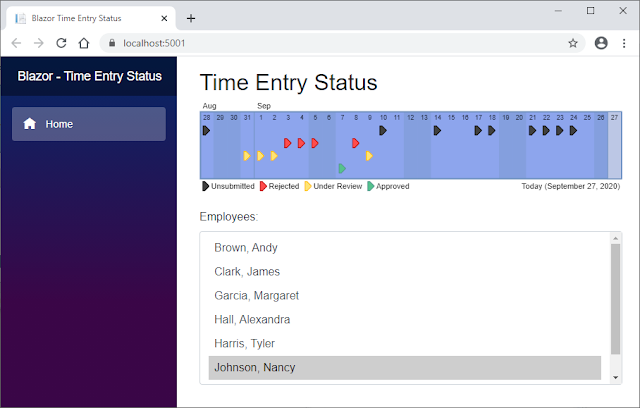
    As I was digging into WebAssembly from a C# perspective for an article that I was preparing to write, I decided to use some research time that my company gave me to dig into Blazor WebAssembly by rewriting a small Java application that I built in 2011.

    This article walks you through creating the Dovico Time Entry Status app using Blazor WebAssembly.

  • Using WebAssembly modules in C#

    While there were a lot of exciting things being worked on with the WebAssembly System Interface (WASI) at the time of my book's writing, unfortunately, it wasn't until after the book went to production that an early preview of the Wasmtime runtime was announced for .NET Core.

    I wrote this article to show you how your C# code can load and use a WebAssembly module via the Wasmtime runtime for .NET. The article also covers how to create custom model validation with ASP.NET Core MVC.

  • WebAssembly threads in Firefox

    My book shows you how to use WebAssembly threads but, at the time of its writing, they were only available in Firefox behind a flag. They're no longer behind a flag but Firefox has added a requirement: To enable the SharedArrayBuffer, you need to include two response headers.

    Although the headers are only required by Firefox desktop at the time of this article's writing, this will soon change as Chrome for Android will require the headers when version 88 is released in January 2021. Chrome desktop is expected to require the headers by March 2021.

    This article walks you through returning the response headers and using WebAssembly threads to convert a user-supplied image to greyscale.


Disclaimer: I was not paid to write this article but I am paid royalties on the sale of the book "WebAssembly in Action" which I mentioned in this article.

Tuesday, January 2, 2018

WebAssembly – Caching when using Emscripten


Update: September 1, 2018

Originally, the specification for WebAssembly called for explicit caching of a compiled WebAssembly module to HTML5 IndexedDB.

Firefox and Edge added support for serialization to IndexedDB but, after some discussion between the WebAssembly Community Group, browser makers, and others, it has been decided that it will be best for browsers to implicitly cache WebAssembly modules instead.

As a result of this decision, Firefox 63, which will ship on October 23rd, 2018 will no longer allow WebAssembly modules to be cached to IndexedDB (https://developer.mozilla.org/en-US/docs/Mozilla/Firefox/Releases/63)

The content of this article should not be used and any explicit caching already in place in your code should be removed.

In our first article about WebAssembly, An Introduction to WebAssembly, we allowed Emscripten to handle all of the plumbing for us, including the HTML, so that we could get a feel for what was possible with WebAssembly modules by jumping right into some code.

In some of the articles that followed, we examined some of the technologies related to WebAssembly and used a bare-bones module (no Emscripten plumbing) to do so.

In this article we're going to circle back to caching a WebAssembly module to an HTML5 IndexedDB database but this time we're going to enable some of Emscripten's plumbing to show how to you can implement caching within Emscripten's framework.

Note: We're not going to dig into some of the details of using Emscripten or working with an IndexedDB database because we've talked about them in previous articles. We will have links to our other WebAssembly articles at the end of this article if you would like to explore the other topics more.


Building the WebAssembly module and JavaScript plumbing code

The following is some C code that we will compile into a .wasm file for today's article:
#include <stdio.h>
#include "../emscripten/emscripten.h"

int main()
{
printf("Hello World from C\n");
return 0;
}

void EMSCRIPTEN_KEEPALIVE TestFunction(int iVal) {
printf("TestFunction called...value passed in was: %i\n", iVal);
}

The following command line is similar to the one we used in our Introduction to WebAssembly article but with one change. Here, we're specifying the output file to have a .js extension rather than .html. This tells Emscripten to only generate the JavaScript plumbing code and not the HTML file.

emcc test.c -s WASM=1 -o test.js -s NO_EXIT_RUNTIME=1


Controlling the module's instantiation

Emscripten allows you to override methods of the Module object in order to control execution (e.g. you can implement Module.print so that you could display stdout messages to an alert or a div rather than the default which writes the messages to the console).

Documentation of the Module methods that can be overridden can be found here: https://kripken.github.io/emscripten-site/docs/api_reference/module.html

In order to control the load of the WebAssembly module, the method we're interested in is instantiateWasm.

The instantiateWasm method accepts two parameters
  • The first parameter is the import object that we need to pass as the second parameter to WebAssembly.instantiate
  • The second parameter is a call back function that we need to use to pass the WebAssembly module instance back to Emscripten once we have it

The following is an example of implementing the instantiateWasm method:
var Module = {

// Override instantiateWasm
'instantiateWasm': function (importObject, fncReceiveInstance) {
// We've set things up in such a way so that each wasm file can have a
// version and we only clear the items from the cache if the version
// doesn't match
var sWasmURI = "test.wasm";
var sWasmVersion = "1.0.0";

// Load the wasm file from cache if it's there. If not, fetch it and cache it.
GetCompiledModuleFromIndexedDB(sWasmURI, sWasmVersion, importObject, fncReceiveInstance);

// Pass back an empty dictionary object if the instantiation is performed
// asynchronously which it is in this case
return {};
}

};

The final piece of the puzzle to get everything working is to include the JavaScript file that was generated by Emscripten. The trick to this, however, is that the JavaScript file needs to be included after our code that implements the instantiateWasm method.

The following is our example HTML page:
<!DOCTYPE html>
<html>
<head>
<meta charset="utf-8" />
</head>
<body>
<input type="text" id="txtValue" />
<input type="button" value="Test" onclick="OnClickTest();" />

<script type="text/javascript">
// If we need to change the structure of the database, we can
// increment the DB_VERSION value to trigger the
// onupgradeneeded event when opening the database
var DB_VERSION = 1;
var DB_NAME = "WasmCache";
var DB_OBJSTORE_MODULES = "Modules";

var Module = {

// Override instantiateWasm
'instantiateWasm': function (importObject, fncReceiveInstance) {
// We've set things up in such a way so that each wasm file can
// have a version and we only clear the items from the cache if
// the version doesn't match
var sWasmURI = "test.wasm";
var sWasmVersion = "1.0.0";

// Load the wasm file from cache if it's there. If not, fetch it and
// cache it.
GetCompiledModuleFromIndexedDB(sWasmURI, sWasmVersion, importObject, fncReceiveInstance);

// Pass back an empty dictionary object if the instantiation is
// performed asynchronously which it is in this case
return {};
}

};

function GetCompiledModuleFromIndexedDB(sWasmURI, sWasmVersion, importObject, fncReceiveInstance) {

// If we successfully opened the database then...
OpenDB(DB_NAME, DB_VERSION, HandleUpgradeDB).then(dbConnection => {

// If we successfully obtained the requested record then...
GetRecordFromObjectStore(dbConnection, DB_OBJSTORE_MODULES, sWasmURI).then(objRecord => {

// If the version stored for this module doesn't match the
// version we need then the module cached is out of date...
if (objRecord.WasmVersion !== sWasmVersion) {

// Have the record deleted and then fetch the proper file
DeleteRecordFromObjectStore(dbConnection, DB_OBJSTORE_MODULES, sWasmURI).then(result => {
LoadWebAssemblyFromFile(dbConnection, sWasmURI, sWasmVersion, importObject, fncReceiveInstance);
});

}
else { // The cached record is the version we need...

// Have the module instantiated.
//
// NOTE: Unlike when we pass in the bytes to instantiate
// in the LoadWebAssemblyFromFile method below, we
// don't have a separate 'instance' and 'modules' object
// returned in this case since we started out with the
// module object. We're only passed back the instance in
// this case.
WebAssembly.instantiate(objRecord.WasmModule, importObject).then(instance =>
// Pass the instance back to the emscripten
// receiveInstance method
fncReceiveInstance(instance)
);

}

}, sErrorMsg => { // Error in GetRecordFromObjectStore...

// We weren't able to pull the module from cache (most
// likely because it doesn't exist yet - hasn't been cached
// yet). Log the error and then fetch the file.
console.log(sErrorMsg);
LoadWebAssemblyFromFile(dbConnection, sWasmURI, sWasmVersion, importObject, fncReceiveInstance);

});

}, sErrorMsg => { // Error in OpenDB...

// Log the error and then fetch the file (won't be able to
// cache it in this case because we don't have a database
// connection to work with)
console.log(sErrorMsg);
LoadWebAssemblyFromFile(null, sWasmURI, sWasmVersion, importObject, fncReceiveInstance);

});

}

// Called by indexeddb if the database was just created or if the
// database version was changed
function HandleUpgradeDB(evt) {
// Create the object store which will hold 3 properties:
// • WasmURI - (primary key) e.g. 'test.wasm'
// • WasmVersion - e.g. '1.0.1'
// • WasmModule - the compiled module
var dbConnection = evt.target.result;
dbConnection.createObjectStore(DB_OBJSTORE_MODULES, { keyPath: "WasmURI" });
}

function LoadWebAssemblyFromFile(dbConnection, sWasmURI, sWasmVersion, importObject, fncReceiveInstance) {
// Request the wasm file from the server and compile it... fetch(sWasmURI).then(response =>
response.arrayBuffer()
).then(bytes =>
WebAssembly.instantiate(bytes, importObject)
).then(results => {
// Pass the instance back to the emscripten receiveInstance
// method
fncReceiveInstance(results.instance);

// Only do the following if we have a database connection
// object (this method will be passed a null if we failed to load
// the module from cache due to an error when trying to open
// the database)
if (dbConnection !== null) {
// WARNING: Not all browsers that support WebAssembly
// also support the ability to store the module in IndexedDB
// (seems to work fine in Edge 16 and in Firefox but it
// doesn't work for me in Chrome 63)
try {
// Create the object we're about to store
var objRecord = { "WasmURI": sWasmURI, "WasmVersion": sWasmVersion, "WasmModule": results.module };

// Cache the compiled module so that we don't have to
// pull the file from the server again unless we change
// the module's version number.
SaveRecordToObjectStore(dbConnection, DB_OBJSTORE_MODULES, objRecord);
}
catch (ex) {
console.log(`Unable to save the WebAssembly module to IndexedDB: ${ex.message}`);
}
}
});
}

function OnClickTest() {
Module.ccall('TestFunction', // name of C function
null, //return type
['number'],//argument types
[ parseInt(document.getElementById("txtValue").value,10) ]);
}
</script>
<script src="IndexedDB.js"></script>
<script src="test.js"></script><!-- Emscripten plumbing. Very important that this comes *after* our JavaScript that creates the Module object and sets the 'instantiateWasm' method. -->
</body>
</html>

The following is the content of our IndexDB.js file:

// Helper methods to work with an IndexedDB database
//
// Note: IndexedDB methods are asynchronous. To make things a bit
// easier to work with for the calling code, I've added Promises.

function OpenDB(sDatabaseName, sDatabaseVersion, fncUpgradeDB) {
return new Promise(function (fncResolve, fncReject) {

// Make a request for the database to be opened
var dbRequest = indexedDB.open(sDatabaseName, sDatabaseVersion);

dbRequest.onerror = function (evt) { fncReject(`Error in OpenDB: ${evt.target.error}`); }

// Pass the database connection object to the resolve method of the
// promise
dbRequest.onsuccess = function (evt) { fncResolve(evt.target.result); }

// This event handler will only be called if we're creating the database
// for the first time or if we're upgrading the database to a new
// version (this will be triggered before the onsuccess event handler
// above if it does get called). Let the calling code handle upgrading
// the database if needed to keep this file as generic as possible.
dbRequest.onupgradeneeded = fncUpgradeDB;

});
}


// Helper method to simplify the code some
function GetObjectStore(dbConnection, sObjectStoreName, sTransactionMode) {
// Create a transation and, from the transaction, get the object store
// object
return dbConnection.transaction([sObjectStoreName], sTransactionMode).objectStore(sObjectStoreName);
}


function GetRecordFromObjectStore(dbConnection, sObjectStoreName, sRecordID) {
return new Promise(function (fncResolve, fncReject) {

// Request the record specified
var dbGetRequest = GetObjectStore(dbConnection, sObjectStoreName, "readonly").get(sRecordID);

dbGetRequest.onerror = function (evt) { fncReject(`Error in GetRecordFromObjectStore: ${evt.target.error}`); }

dbGetRequest.onsuccess = function (evt) {
// If we have a record then...(we have to check because there
// won't be a record if the database was just created)
var objRecord = evt.target.result;
if (objRecord) { fncResolve(objRecord); }
else { fncReject(`The record '${sRecordID}' was not found in the object store '${sObjectStoreName}'`); }
}

});
}


function DeleteRecordFromObjectStore(dbConnection, sObjectStoreName, sRecordID) {
return new Promise(function (fncResolve, fncReject) {

// Request the delete of the record specified
var dbDeleteRequest = GetObjectStore(dbConnection, sObjectStoreName, "readwrite").delete(sRecordID);

dbDeleteRequest.onerror = function (evt) { fncReject(`Error in DeleteRecordFromObjectStore: ${evt.target.error}`); }

dbDeleteRequest.onsuccess = function (evt) { fncResolve(); }

});
}


function SaveRecordToObjectStore(dbConnection, sObjectStoreName, objRecord) {

// Request the put of our record (if it doesn't already exist, it gets added. otherwise, it gets updated)
var dbPutRequest = GetObjectStore(dbConnection, sObjectStoreName, "readwrite").put(objRecord);

dbPutRequest.onerror = function (evt) { console.log(`Error in SaveToIndexedDB: ${evt.target.error}`); }

dbPutRequest.onsuccess = function (evt) { console.log(`Successfully stored the record`); }

}


Since we have already discussed some of Emscripten's basics, like the EMSCRIPTEN_KEEPALIVE attribute in the C code above, as well as caching WebAssembly modules to HTML5 IndexedDB databases in previous articles, we didn't explain those details today.

If you'd like to know more about WebAssembly, the following are a few articles that might be of interest:

Thursday, December 21, 2017

WebAssembly – Caching to HTML5 IndexedDB


Update: September 1, 2018

Originally, the specification for WebAssembly called for explicit caching of a compiled WebAssembly module to HTML5 IndexedDB.

Firefox and Edge added support for serialization to IndexedDB but, after some discussion between the WebAssembly Community Group, browser makers, and others, it has been decided that it will be best for browsers to implicitly cache WebAssembly modules instead.

As a result of this decision, Firefox 63, which will ship on October 23rd, 2018 will no longer allow WebAssembly modules to be cached to IndexedDB (https://developer.mozilla.org/en-US/docs/Mozilla/Firefox/Releases/63)

The content of this article should not be used and any explicit caching already in place in your code should be removed.

This article is a continuation of a series exploring how we can build and work with WebAssembly modules using Emscripten. The previous articles are not required reading to understand what we're going to cover today but, if you're curious, you can find them here:
Today we're going to continue using a bare-bones WebAssembly module (no Emscripten built-in helper methods) just to keep things as clear as possible as we dig into an important topic.

One of the main reasons why we would want to use a WebAssembly module in the first place is for the performance improvements that it brings but we haven't yet made use of one key performance item.

Typically, when you go to a webpage that has a JavaScript file, the browser will cache it so that it doesn't have to download it again. The next time you go to that same webpage, if the file is in the browser's cache, it will load that rather than pull it from the server which saves time.

If you've been watching your network traffic, while working with the WebAssembly examples so far, you may have noticed that the wasm file is requested every time your page is loaded which isn't desired if the module hasn't changed.


HTML5 IndexedDB

WebAssembly modules were created with the ability to cache the compiled module in mind but the trick is that the caching is something that needs to be done explicitly by us.

In JavaScript, modules are cached to IndexedDB.

Up until this point, with all of my WebAssembly testing, I've simply been using the file system and double clicking on the html file to test things in the browser.

For security reasons, however, browsers will not allow websites to access IndexedDB from a local file which means we need to set up a server of some sort. I'm a developer on Windows so I'm going to use IIS.

IIS has a whitelist of file extensions that it will allow a website to provide and .wasm was not in my list which resulted in a 404 error when the page tried to fetch the wasm file.

Adding .wasm to the list in IIS is fairly simple:
  • Open up Internet Information Services (IIS) Manager (found in Control Panel, Administrative Tools)
  • You can set this at the root, Default Web Site, or at the individual Application level
  • Double click on the MIME Types link
  • Click the Add... link on the Actions pane to the right
  • Enter wasm for the file name extension
  • Enter application/wasm for the MIME type
  • Click OK


Caching

So far, we've been working with the module's instance but the result object from the WebAssembly.instantiate call also returns a module object which is the compiled module that we can cache in an IndexedDB database:

// Request the wasm file from the server and compile it... fetch(sWasmURI).then(response =>
response.arrayBuffer()
).then(bytes =>
WebAssembly.instantiate(bytes, g_importObject)
).then(results => {
// We've been working with the .instance object so far
objModuleInstance = results.instance;

// The results object also holds a .module object which is
// what we can cache:
// results.module
});

When we retrieve the compiled module from the cache, we will need to pass it to WebAssembly.instantiate but there are a couple of differences compared to when we download the file.

The first difference is that we don't need to do a fetch or set up an arrayBuffer.

The second difference is that the return object from the instantiate object is the instance itself.

WebAssembly.instantiate(objModule, g_importObject).then(instance =>
g_objModuleInstance = instance
);


The following is some example code that shows how you can work with IndexedDB to cache and load WebAssembly modules:

<!DOCTYPE html>
<html>
<head>
<meta charset="utf-8" />
</head>
<body>
<input type="button" value="Test" onclick="OnClickTest();" />

<script src="IndexedDB.js"></script>
<script type="text/javascript">
var g_importObject = {
'env': {
'memoryBase': 0,
'tableBase': 0,
'memory': new WebAssembly.Memory({ initial: 256 }),
'table': new WebAssembly.Table({ initial: 0, element: 'anyfunc' })
}
};

// The WebAssembly module instance that we'll be working with
var g_objModuleInstance = null;

// If we need to change the structure of the database, we can
// increment the DB_VERSION value to trigger the
// onupgradeneeded event when opening the database
var DB_VERSION = 1;
var DB_NAME = "WasmCache";
var DB_OBJSTORE_MODULES = "Modules";

// We've set things up in such a way so that each wasm file can
// have a version and we only clear the items from the cache if
// the version doesn't match
var g_sTestWasmURI = "test.wasm";
var g_sTestWasmVersion = "1.0.0";

// Check to see if the module is cached and, if so, use that.
// Otherwise, download the module and cache it.
GetCompiledModuleFromIndexedDB(g_sTestWasmURI, g_sTestWasmVersion);


function GetCompiledModuleFromIndexedDB(sWasmURI, sWasmVersion) {

// If we successfully opened the database then...
OpenDB(DB_NAME, DB_VERSION, HandleUpgradeDB).then(dbConnection => {

// If we successfully obtained the requested record then...
GetRecordFromObjectStore(dbConnection, DB_OBJSTORE_MODULES, sWasmURI).then(objRecord => {

// If the version stored for this module doesn't match the
// version we need then the module cached is out of date...
if (objRecord.WasmVersion !== sWasmVersion) {

// Have the record deleted and then fetch the proper file
DeleteRecordFromObjectStore(dbConnection, DB_OBJSTORE_MODULES, sWasmURI).then(result => {
LoadWebAssemblyFromFile(dbConnection, sWasmURI, sWasmVersion);
});

}
else { // The cached record is the version we need...

// Have the module instantiated.
//
// NOTE: Unlike when we pass in the bytes to instantiate
// in the LoadWebAssemblyFromFile method below, we
// don't have a separate 'instance' and 'modules' object
// returned in this case since we started out with the
// module object. We're only passed back the instance in
// this case.
WebAssembly.instantiate(objRecord.WasmModule, g_importObject).then(instance =>
g_objModuleInstance = instance // Hold onto the module's instance so that we can reuse it
);

}

}, sErrorMsg => { // Error in GetRecordFromObjectStore...

// We weren't able to pull the module from cache (most
// likely because it doesn't exist yet - hasn't been cached
// yet). Log the error and then fetch the file.
console.log(sErrorMsg);
LoadWebAssemblyFromFile(dbConnection, sWasmURI, sWasmVersion);

});

}, sErrorMsg => { // Error in OpenDB...

// Log the error and then fetch the file (won't be able to
// cache it in this case because we don't have a database
// connection to work with)
console.log(sErrorMsg);
LoadWebAssemblyFromFile(null, sWasmURI, sWasmVersion);

});

}

// Called by indexeddb if the database was just created or if the
// database version was changed
function HandleUpgradeDB(evt) {
// Create the object store which will hold 3 properties:
// • WasmURI - (primary key) e.g. 'test.wasm'
// • WasmVersion - e.g. '1.0.1'
// • WasmModule - the compiled module
var dbConnection = evt.target.result;
dbConnection.createObjectStore(DB_OBJSTORE_MODULES, { keyPath: "WasmURI" });
}

function LoadWebAssemblyFromFile(dbConnection, sWasmURI, sWasmVersion) {
// Request the wasm file from the server and compile it...
fetch(sWasmURI).then(response =>
response.arrayBuffer()
).then(bytes =>
WebAssembly.instantiate(bytes, g_importObject)
).then(results => {
// Hold onto the module's instance so that we can reuse it
g_objModuleInstance = results.instance;

// Only do the following if we have a database connection
// object (this method will be passed a null if we failed to load
// the module from cache due to an error when trying to open
// the database)
if (dbConnection !== null) {
// WARNING: Not all browsers that support WebAssembly
// also support the ability to store the module in IndexedDB
// (seems to work fine in Edge 16 and in Firefox but it
// doesn't work for me in Chrome 63)
try {
// Create the object we're about to store
var objRecord = { "WasmURI": sWasmURI, "WasmVersion": sWasmVersion, "WasmModule": results.module };

// Cache the compiled module so that we don't have to
// pull the file from the server again unless we change
// the module's version number.
SaveRecordToObjectStore(dbConnection, DB_OBJSTORE_MODULES, objRecord);
}
catch (ex) {
console.log(`Unable to save the WebAssembly module to IndexedDB: ${ex.message}`);
}
}
});
}

function OnClickTest() {
// Call the module's add method and display the results
var iResult = g_objModuleInstance.exports._add(1, 2);
alert(iResult.toString());
}
</script>
</body>
</html>

The following is the content of our IndexDB.js file:

// Helper methods to work with an IndexedDB database
//
// Note: IndexedDB methods are asynchronous. To make things a bit
// easier to work with for the calling code, I've added Promises.

function OpenDB(sDatabaseName, sDatabaseVersion, fncUpgradeDB) {
return new Promise(function (fncResolve, fncReject) {

// Make a request for the database to be opened
var dbRequest = indexedDB.open(sDatabaseName, sDatabaseVersion);

dbRequest.onerror = function (evt) { fncReject(`Error in OpenDB: ${evt.target.error}`); }

// Pass the database connection object to the resolve method of the
// promise
dbRequest.onsuccess = function (evt) { fncResolve(evt.target.result); }

// This event handler will only be called if we're creating the database
// for the first time or if we're upgrading the database to a new
// version (this will be triggered before the onsuccess event handler
// above if it does get called). Let the calling code handle upgrading
// the database if needed to keep this file as generic as possible.
dbRequest.onupgradeneeded = fncUpgradeDB;

});
}


// Helper method to simplify the code some
function GetObjectStore(dbConnection, sObjectStoreName, sTransactionMode) {
// Create a transation and, from the transaction, get the object store
// object
return dbConnection.transaction([sObjectStoreName], sTransactionMode).objectStore(sObjectStoreName);
}


function GetRecordFromObjectStore(dbConnection, sObjectStoreName, sRecordID) {
return new Promise(function (fncResolve, fncReject) {

// Request the record specified
var dbGetRequest = GetObjectStore(dbConnection, sObjectStoreName, "readonly").get(sRecordID);

dbGetRequest.onerror = function (evt) { fncReject(`Error in GetRecordFromObjectStore: ${evt.target.error}`); }

dbGetRequest.onsuccess = function (evt) {
// If we have a record then...(we have to check because there
// won't be a record if the database was just created)
var objRecord = evt.target.result;
if (objRecord) { fncResolve(objRecord); }
else { fncReject(`The record '${sRecordID}' was not found in the object store '${sObjectStoreName}'`); }
}

});
}


function DeleteRecordFromObjectStore(dbConnection, sObjectStoreName, sRecordID) {
return new Promise(function (fncResolve, fncReject) {

// Request the delete of the record specified
var dbDeleteRequest = GetObjectStore(dbConnection, sObjectStoreName, "readwrite").delete(sRecordID);

dbDeleteRequest.onerror = function (evt) { fncReject(`Error in DeleteRecordFromObjectStore: ${evt.target.error}`); }

dbDeleteRequest.onsuccess = function (evt) { fncResolve(); }

});
}


function SaveRecordToObjectStore(dbConnection, sObjectStoreName, objRecord) {

// Request the put of our record (if it doesn't already exist, it gets added. otherwise, it gets updated)
var dbPutRequest = GetObjectStore(dbConnection, sObjectStoreName, "readwrite").put(objRecord);

dbPutRequest.onerror = function (evt) { console.log(`Error in SaveToIndexedDB: ${evt.target.error}`); }

dbPutRequest.onsuccess = function (evt) { console.log(`Successfully stored the record`); }

}


The following is the C code and command line needed to turn the C code into a WebAssembly module for today's article:

int add(int x, int y) { return x + y; }

emcc test.c -s WASM=1 -s SIDE_MODULE=1 -O1 -o test.wasm


Summary

Even though we tried to keep the code as clean as possible, this article was a bit more involved because of everything that is involved when working with IndexedDB databases.

Because this article was focused around WebAssembly caching, we only dug into IndexedDB as deep as was needed.

Fortunately, I had the privilege of writing a DZone Refcard on HTML5 IndexedDB a little while ago that you're more than welcome to check out if you would like more information on the technology.


Edit made on Monday, January 1st, 2018: Changed the MIME Type from application/octet-stream to application/wasm after discovering the WebAssembly meeting notes from October 23rd, 2017 proposing the MIME Type be submitted to IANA to make it official.

Saturday, December 16, 2017

WebAssembly – Calling into JavaScript from bare bones C code


In my previous blog post, we explored the idea of creating a bare bones WebAssembly module with no Emscripten plumbing. In that article, we were able to call into the module from JavaScript but we didn't get into the reverse:

How does one call into JavaScript from a module?


Calling into JavaScript from a WebAssembly module

In this article we're going to try and get a WebAssembly module to call a method that's defined in our JavaScript.

In order to compile C code, when the method being used isn't in the source code, you need to define the method signature using the extern keyword as shown in the following example:

// Define the JavaScript method's signature that we're going to be calling.
extern void CallJS(int iVal);

// A method that the JavaScript will call into to trigger our code
// that will in turn call a JavaScript method passing along the value
// received.
void Test(int iVal){ CallJS(iVal); }

You can run the following command line to build the wasm file:

emcc test.c -s WASM=1 -s SIDE_MODULE=1 -O1 -o test.wasm

To define the method in our JavaScript, we just need to add it to the env object that is part of the main object that we pass as the 2nd parameter to the WebAssembly.instantiate method:

var importObject = {
'env': {
// ... (other properties/methods of this object)

'_CallJS': function(iVal){ alert("value received: " + iVal.toString()); }
}
};

Just like how we needed to add an underscore character before the method name when calling into the module from JavaScript, we also need to include an underscore before the method name here.

The following is the full HTML/JavaScript for our example module:
<!DOCTYPE html>
<html>
<head>
<meta charset="utf-8"/>
</head>
<body>
<input type="text" id="txtValue" />
<input type="button" value="Pass Value" onclick="PassValue();" />

<script type="text/javascript">
var gModule = null;

var importObject = {
'env': {
'memoryBase': 0,
'tableBase': 0,
'memory': new WebAssembly.Memory({initial: 256}),
'table': new WebAssembly.Table({initial: 0, element: 'anyfunc'}),

'_CallJS': function(iVal){ alert("value received: " + iVal.toString()); }
}
};

fetch('test.wasm').then(response =>
response.arrayBuffer()
).then(bytes =>
WebAssembly.instantiate(bytes, importObject)
).then(results => {
gModule = results.instance; // Hold onto the module's instance so that we can reuse it
});

function PassValue(){
// Get the value from the textbox (convert the value from a string to an int)
var iVal = parseInt(document.getElementById("txtValue").value,10);

// Call the method in the module
gModule.exports._Test(iVal);
}
</script>
</body>
</html>


A New Book

I’ve been honored with an opportunity to write a book about WebAssembly.

If you enjoyed this article and would like to know more about WebAssembly, I welcome you to check out my book: WebAssembly in Action

Thursday, December 14, 2017

WebAssembly – Using Emscripten to create a bare bones module


In my last blog post, An Introduction to WebAssembly, I showed you some of the basics of working with a WebAssembly module by using Emscripten.

This article is the result of some research and experiments to see if it’s possible to build a WebAssembly module using Emscripten but to not have any of the plumbing code.

For example, if we were to build the following C file using the following command line, the result would be an HTML file that is 101 KB, a JS file that is 80.2 KB, and a wasm file that is 9.4 KB!

#include <stdio.h>
#include "../emscripten/emscripten.h"

int main() { return 0; }

int EMSCRIPTEN_KEEPALIVE add(int x, int y) { return x + y; }

emcc test.c -s WASM=1 -s NO_EXIT_RUNTIME=1 -O1 -o hello.html


Having all of that plumbing is very convenient because it lets you start playing around with WebAssembly modules right away but what if we want just the bare minimum and will handle the HTML and JavaScript ourselves?

Fortunately, there is a way to tell Emscripten to output just the bare bones wasm file.

Let's first strip the C file down to just the bare minimum. In this case, we only want the add method:

int add(int x, int y) { return x + y; }

If we use the following command line, we will get just the wasm file and it’s only 202 bytes!

emcc test.c -s WASM=1 -s SIDE_MODULE=1 -O1 -o test.wasm

The SIDE_MODULE flag tells Emscripten to compile only our methods and nothing else which means you will also not have access to things like printf or malloc.

If not specified, the default optimization flag used is -O0 (capital letter o and the number 0) but that results in the following error being thrown when you try to load the module:

LinkError: import object field 'DYNAMICTOP_PTR' is not a Number

Adding any optimization flag other than -O0 will fix the issue so we went with -O1 (capital letter o and the number 1) for this example.

One thing to note, however, is that the O appears to be case sensitive. The various optimization flags that are available can be found here: https://kripken.github.io/emscripten-site/docs/optimizing/Optimizing-Code.html

We also need to specify the name of the output file in the command line because, if we don't, Emscripten will output the file with the name a.out.wasm.


Because we've decided not to use Emscripten's plumbing code, we need to write our own HTML and JavaScript. The following is some example HTML and JavaScript to load in the module:

<!DOCTYPE html>
<html>
<head>
<meta charset="utf-8"/>
</head>
<body>
<input type="button" value="test" onclick="javascript:OnClickTest();" />

<script type="text/javascript">
var gModule = null;

var importObject = {
'env': {
'memoryBase': 0,
'tableBase': 0,
'memory': new WebAssembly.Memory({initial: 256}),
'table': new WebAssembly.Table({initial: 0, element: 'anyfunc'})
}
};

fetch('test.wasm').then(response =>
response.arrayBuffer()
).then(bytes =>
WebAssembly.instantiate(bytes, importObject)
).then(results => {
gModule = results.instance; // Hold onto the module's instance so that we can reuse it
});

function OnClickTest(){
alert(gModule.exports._add(1, 2));
}
</script>
</body>
</html>


One thing that you may have noticed that is different with our call to the C method, as compared to what we did in the previous blog post, is that we're not using Module.ccall or Module.cwrap. Those are Emscripten helper methods. Here, we're calling the C method directly.

Something else to be aware of here is that your JavaScript will need to include an underscore character before the method name. For example, in our case, our method is called add. When you call the add method in JavaScript you would use _add(1, 2); rather than add(1, 2);

Although this approach might not be a solution that will work in every situation, given that you don't have access to things like malloc, it might be a useful way of creating a helper library if you're doing things like number crunching and don't need all of the overhead that comes with Emscripten's plumbing.


A New Book

I’ve been honored with an opportunity to write a book about WebAssembly.

If you enjoyed this article and would like to know more about WebAssembly, I welcome you to check out my book: WebAssembly in Action